Best Pinterest Image Downloaders in 2026

By Ruslan Saifullin, Pinterest analytics developer & founder of Pin Stats • Published October 13, 2026
Key takeaways
- What is the safest Pinterest image downloader? Pinterest's own. Open a pin, click the three dots and choose Download image. It needs no extension, no website and no permissions, and it works in the app, on desktop and in a mobile browser.
- Can I download Pinterest videos? Only when the creator allows it. Creators choose whether their full-screen video pins can be downloaded, and a downloaded video carries their username as a watermark. Sites that strip that watermark remove the creator's credit.
- Do I need a downloader extension? Only if you save images from many sites, not just Pinterest. Prefer one that reads only the tab you click it on, such as the open-source Image Downloader, over one that asks to read every website.
- Are Pinterest downloader websites safe? Some are, many are ad-heavy. Never install anything a downloader site offers, close pop-ups, and do not enter your Pinterest login. Security researchers keep finding malicious "video downloader" extensions.
- Can I reuse a downloaded pin image? For personal reference, generally yes. Republishing it on your blog, shop or another network needs the owner's permission, which is usually the original creator, not the person who pinned it.
Most Pinterest downloaders promise the same thing: paste a link, get the file. What they do not advertise is what they ask for in return. Some are sites built around pop-up ads; some are browser extensions that can read every page you visit; and a few have turned out to be spyware dressed as a video downloader.
You may not need any of them. Pinterest has its own download button, and your browser can save any image it shows you. This guide ranks the options from safest to riskiest, says what each one asks of you, and ends with the part most downloader roundups skip: what you are allowed to do with the image once it is on your computer.
- TL;DR: which downloader for which job
- From safest to riskiest
- Pinterest's own download button
- Your browser's Save image as
- Image downloader extensions
- Pinterest video downloader websites
- What to avoid
- Comparison table
- Can you use a downloaded pin image?
- A safe routine for saving inspiration
- How to vet any downloader
- Frequently asked questions
- Conclusion
TL;DR: Which Pinterest Downloader for Which Job
- One image: Pinterest's own Download image, in the three-dot menu of any pin. Free, built in, nothing to install.
- One video: the same menu on a video pin, when the creator has allowed downloads. The video keeps the creator's username as a watermark.
- An image the menu will not download: right-click it in your browser and choose Save image as.
- Many images from many sites: an image downloader extension that reads only the tab you click it on, such as the open-source Image Downloader.
- Ideas, not files: save the pin to a secret board instead. It keeps the link to the source, which a downloaded file does not.
We make Pin Stats, a Chrome extension for Pinterest research. It is not reviewed or ranked here, and nothing in this guide is a paid placement.
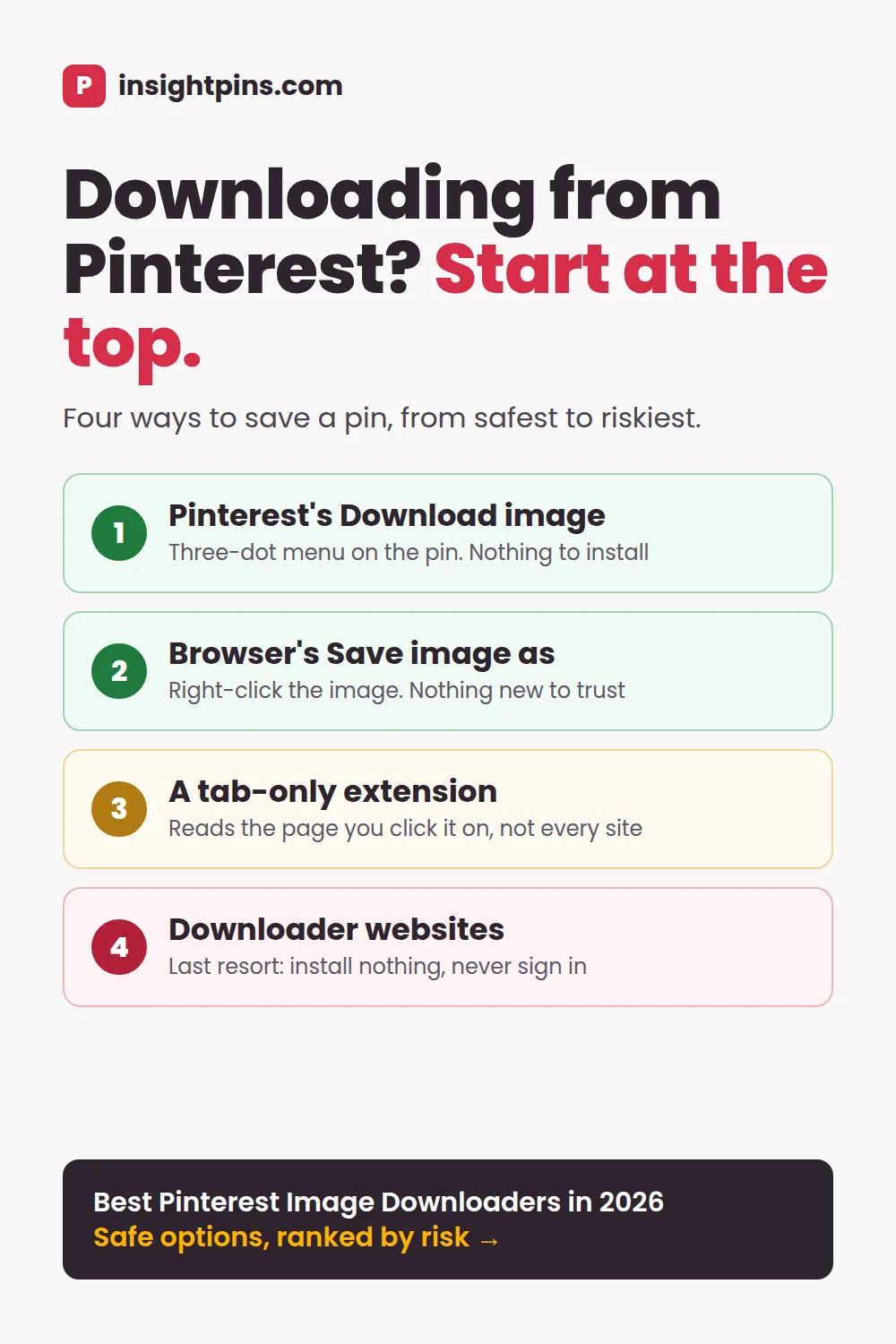
Pinterest Downloaders from Safest to Riskiest
Every downloader asks you to trust something: Pinterest, your browser, an extension with access to your pages, or a website you have never heard of. The fewer parties involved, the less can go wrong.
Built in · nothing to trust
- Pinterest's Download image - Pinterest's own button, in the app and on the web
- Browser's Save image as - Works on any image your browser shows
Third party · check before you trust
- Image downloader extension - Reads the pages you use it on; some ask for every site
- Video downloader website - Ads, redirects and "install our app" prompts
Start at the top. Move down only when the option above cannot do the job.
This is not abstract. In one campaign security researchers reported, at least 12 Chrome and Edge extensions posing as TikTok video downloaders tracked their users' browsing and could be controlled remotely, affecting at least 130,000 people (Cybernews). "Video downloader" is a popular disguise because people search for it and install it without thinking twice.
Pinterest's Own Download Button
The best Pinterest image downloader is already in Pinterest. Open a pin, click the three-dot icon next to the image and choose Download image (Pinterest help: download an image). The file goes to your Downloads folder, or to your photos on a phone.
- Category: built into Pinterest.
- Best for: saving one image at a time, on any device.
- Why use it: no extension, no third-party website and no extra permissions. It is the only option on this list that Pinterest itself offers.
- Cost: free.
Video pins
Creators decide whether their full-screen (9:16) video pins can be downloaded. Downloads stay off until a creator turns them on. When they do, the setting covers all their full-screen video pins, and the saved video carries the creator's username as a watermark (Pinterest help: create a pin from an image or video). If there is no download option, the creator has not turned downloads on, or the video is not a full-screen pin. That is a choice to respect, not a problem to route around.
When Download image is missing
Pinterest says not every pin can be downloaded. If the option is missing, it suggests trying the pin from your home feed, using a desktop or mobile browser instead of the app, updating the app, and checking that Pinterest has permission to save photos on your phone.
Your Browser's Save Image As
Every desktop browser can save any image it displays. Open the pin, right-click the image and choose Save image as. On a phone, a long press on the image in a mobile browser does the same.
- Category: built into your browser.
- Best for: an image Pinterest's menu will not download.
- Why use it: nothing to install and nothing new to trust.
- Cost: free.
Where it falls short: you get the version of the image the page is showing, which may be smaller than the original, and it saves one image at a time.
Image Downloader Extensions
An image downloader extension lists every image on the page you are viewing and lets you save several at once. It is worth installing only if you save images from many websites often, because it has to read the pages you use it on. The question is which pages.
Image Downloader (open source)
- Category: general image downloader for Chrome, Edge and Brave.
- Best for: saving several images from one page, on any site.
- Why use it: it reads only the tab you click it on. Its manifest asks for the
activeTabpermission rather than access to every website, so it cannot see pages you do not use it on. Its code is public on GitHub, and it was last updated in June 2026 (version 4.5.3). - Cost: free, with no ads or tracking according to its developer.
Imageye
- Category: general image downloader.
- Best for: people who want filters by size and type, and a side panel.
- Why use it: it is one of the most used tools of its kind, with a 4.9 rating from over 16,000 ratings on the Chrome Web Store in October 2026.
- Cost: free.
The trade-off: Imageye asks for access to all websites, so Chrome warns that it can read and change your data on every site you visit. That is how it scans pages for images, and it does not mean the extension misuses it. It does mean you are trusting it with more than a tab-only tool needs.
Pinterest Video Downloader Websites
Search for a Pinterest video downloader and you will find dozens of near-identical sites: paste a pin link, press Download, get an MP4. Some work cleanly. Many are built around ads, and several advertise downloads "without watermark", which means removing the creator's username from their video.
We do not name or rank these sites. They change hands, change ad networks and change behaviour too often for a recommendation to stay true, and none we found has an independent security review. If you use one, treat it as a last resort and follow these rules:
- Try Pinterest's own Download first. If the creator switched downloads off, a website is a way around their choice.
- Never install anything the site offers: no extension, no app, no "player".
- Never sign in. A downloader needs a public pin link, not your Pinterest account.
- Close pop-ups and ignore extra Download buttons. The real one is usually the smallest.
- Check the site with Google's Safe Browsing site status before you use it, rather than trusting a badge on the page.
- Keep the watermark. It is the creator's credit.
What to Avoid
- Board and profile scrapers. Tools that download a whole board or profile automatically, including command-line scrapers, collect Pinterest content by automated means. Pinterest's terms of service do not allow scraping or collecting content that way without its permission, and some of these tools need your login cookies to work. That puts your account at risk for a folder of files you could not reuse anyway.
- Watermark removers. Stripping the username from a creator's video removes the one credit Pinterest attaches to it.
- Anything that asks for your Pinterest password. No downloader needs it.
Pinterest Image Downloaders Compared
| Option | Images | Videos | Several at once | What it asks of you | Cost |
|---|---|---|---|---|---|
| Pinterest's Download image | Yes, most pins | When the creator allows it, with watermark | No | Nothing | Free |
| Browser's Save image as | Yes, as displayed | No | No | Nothing | Free |
| Image Downloader (open source) | Yes | No | Yes, from one page | The tab you click it on | Free |
| Imageye | Yes | Not its focus | Yes, from one page | Read and change data on all sites | Free |
| Video downloader websites | Some | Yes | Rarely | Your attention to ads and redirects | Free, ad-funded |
Features and permissions as each tool's own listing, help page or code stated them on October 13, 2026. Extensions change; check the permissions on the store listing before you install.
Can You Use a Downloaded Pinterest Image?
Downloading an image and being allowed to reuse it are different questions. A few facts settle most cases. This is general information, not legal advice.
- The pinner is often not the owner. Most pins point to a website, and the image belongs to whoever made it: a blogger, a photographer, a brand. The person who saved it to a board usually holds no rights to it at all.
- Pinterest's licence covers Pinterest. When people post on Pinterest, they let Pinterest and its users save and share their content on Pinterest. That does not give you the right to republish it on your blog, your shop or another social network.
- Personal reference is the safe use. A mood board on your own computer, a reference for your own design, a recipe you want offline: these are the uses downloading is for.
- Republishing needs permission. Ask the owner, then credit them and link to the original. "Found on Pinterest" is not a credit.
- Make your own instead. If a pin's idea inspires you, make your own version with your own photo and words. That is also what Pinterest rewards: fresh pins, not copies of existing ones.
If you need to ask, keep it short. This template works by email or a website's contact form:
Hi [name],

I found your image "[short description]" on Pinterest, linking to [URL of their page].
I would like to use it [where: on my blog post about X / in my newsletter],
with a credit and a link back to your page.

Is that OK with you? If you would like a specific credit line, let me know.

Thanks,
[your name, your site]
If someone downloaded and reposted your pin
If your own image is reposted on Pinterest without your permission, report it through Pinterest's copyright process. If it appears on another website, contact that site or its host. If you post video pins, you choose whether people can download them under Settings, Social permissions, Video Pin downloads; the switch applies to all your full-screen video pins. Website owners can also add Pinterest's "no pin" code to stop images on their own site from being saved to Pinterest at all.
A Safe Routine for Saving Pinterest Inspiration
Most downloading starts as collecting ideas. This four-step routine keeps the ideas, the credit and your browser safe.
Save to a secret board first
Saving keeps the pin, its image and its link to the source in one place, on every device, with nothing downloaded. For a swipe file, that is usually all you need.
Download only what you need offline, with Pinterest's button
When you do need the file, for a presentation or a reference while you design, use Download image. Fall back to Save image as, then to a tab-only extension, in that order.
Keep the source with the file
Rename the file with the source site, or paste the pin's link into a note next to it. A month later, that link is the difference between asking permission and guessing who made it.
Turn ideas into your own pins
Use what you collected as a reference, not as material. Our guide to finding Pinterest pin ideas shows how to turn a swipe file into pins of your own.
How to Vet Any Pinterest Downloader
New downloaders appear every week. Before you trust one, ask five questions.
- Can Pinterest or my browser already do this? If yes, use them.
- What does it ask to access? One tab is fine for a downloader. Every website is a lot to grant for occasional use.
- Does it want my login? A downloader never needs your Pinterest password or cookies.
- Who makes it, and is it maintained? Look for a named developer, a privacy policy and an update in the last year.
- Does it remove watermarks or scrape whole boards? Then it works against creators and against Pinterest's terms. Skip it.
For the full checklist on browser extensions, see how to vet a Pinterest extension before installing.
Frequently Asked Questions
How do I download an image from Pinterest?
Open the pin, click the three-dot icon next to the image and choose Download image. It works in the Pinterest app, on desktop and in a mobile browser. If the option is missing, right-click the image in your browser and choose Save image as.
Why can't I download some Pinterest pins?
Pinterest says not every pin can be downloaded, and video pins can only be downloaded when the creator allows it. Try opening the pin from your home feed or in a browser instead of the app, and check that the app has permission to save photos.
How do I download a Pinterest video?
Use the three-dot menu on the video pin. If the creator has allowed downloads, you will see a Download option, and the video keeps their username as a watermark. If there is no option, the creator has not turned downloads on, or the video is not a full-screen (9:16) pin.
Is it legal to download images from Pinterest?
Saving an image for personal reference is generally fine. Republishing it on your own site, shop or social account usually needs the owner's permission, and the owner is often the original creator rather than the pinner. This is general information, not legal advice.
Are Pinterest downloader websites safe?
Some are, but many are funded by aggressive ads, and fake "video downloader" extensions have been used to spy on users. Never install anything such a site offers, never sign in, and try Pinterest's own Download option first.
Can ChatGPT or Claude download Pinterest images?
No. Neither can download files from Pinterest for you, and sending an AI browser agent into your Pinterest account to collect images is the kind of automation Pinterest's terms rule out. An assistant can help with the part after: writing a short permission request to the image's owner, or a credit line.
Conclusion: Start with the Button Pinterest Already Gives You
- Pinterest's own Download image is the safest downloader, and it works on most pins.
- Video pins download only when the creator allows it, and the watermark is their credit.
- If you need an extension, choose one that reads only the tab you click it on.
- Downloading is for personal reference. Republishing needs the owner's permission, a credit and a link.
The best Pinterest image downloader is the one that asks for the least. Most of the time, that is a button you already have.
Next step: turn the ideas you saved into pins of your own. Our guide to finding Pinterest pin ideas people actually save shows how to go from a swipe file to a list of pins worth making, and our pin design tools roundup covers making them.