How to Activate Your License for the Pinterest Pin Stats Extension

By Ruslan Saifullin, Pinterest analytics developer & founder of Pin Stats · Published May 5, 2025 • Updated August 16, 2026
Key takeaways
- Where is my license key? In the purchase confirmation email from PinStats, sent via Lemon Squeezy, who handle payments for us. If you cannot find it, search your inbox for Lemon Squeezy rather than Pin Stats — the sending domain is theirs — and check your spam folder.
- How do I apply the key? Click the extension icon in your browser toolbar, click Open Pin Stats Table, paste the key into the input field and click Apply. The premium features unlock straight away, with no restart and no re-install.
- Why is my key being rejected? Almost always a copy-paste problem. Copy it straight from the email rather than retyping it, and check that no trailing space came along with it. The key is case-insensitive, but the dashes matter.
- Can I use one key on more than one machine? Yes. Activate the same key in the extension on each browser you use — there is no per-device limit to work around.
- Do I need a license at all? Only for the paid features. The free version works with no key and covers live stats, basic sorting and downloads. A key unlocks advanced filters, the full set of sort options and CSV or XLS export.
Before you start
This guide assumes you have already installed the Pin Stats extension and want to unlock the premium features.
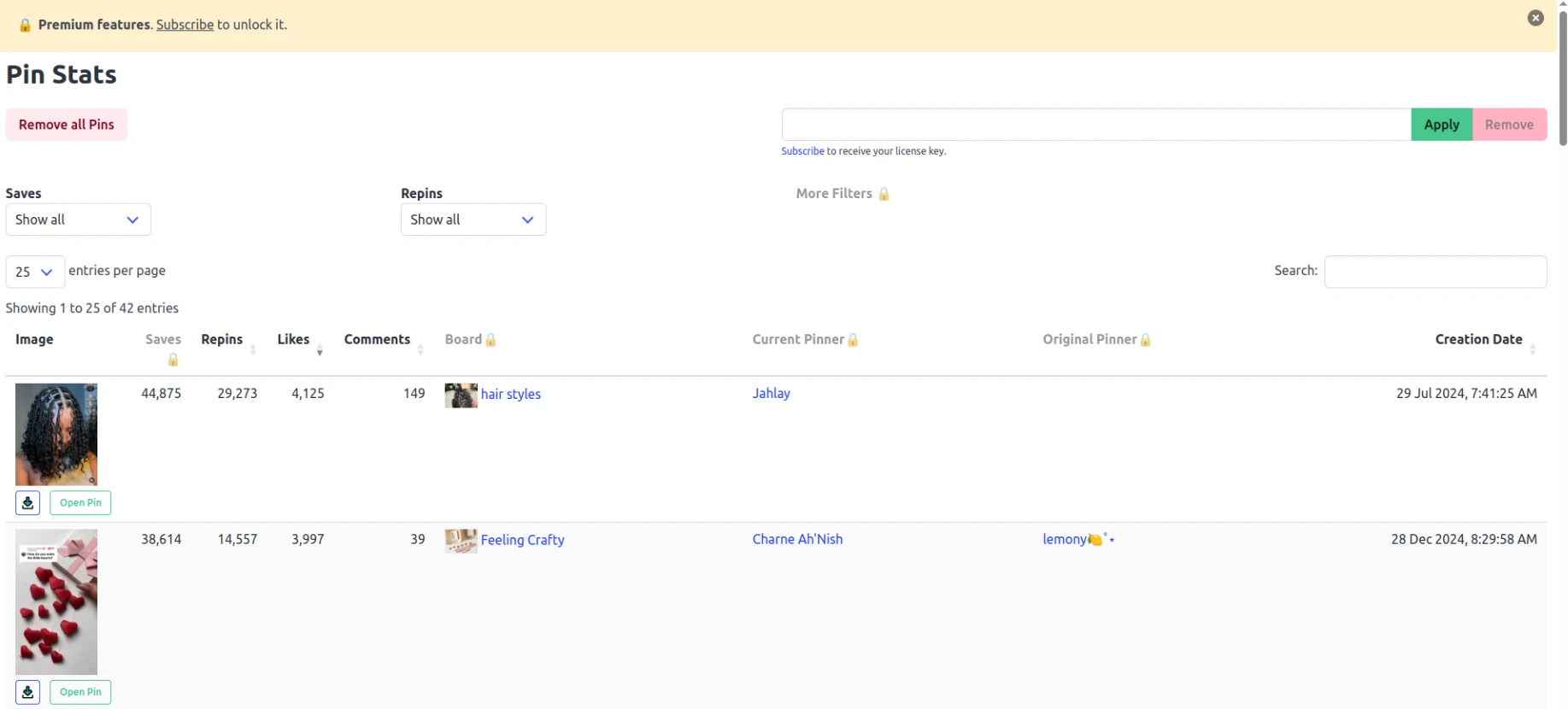
It also assumes you have already paid for a subscription on the pricing page.
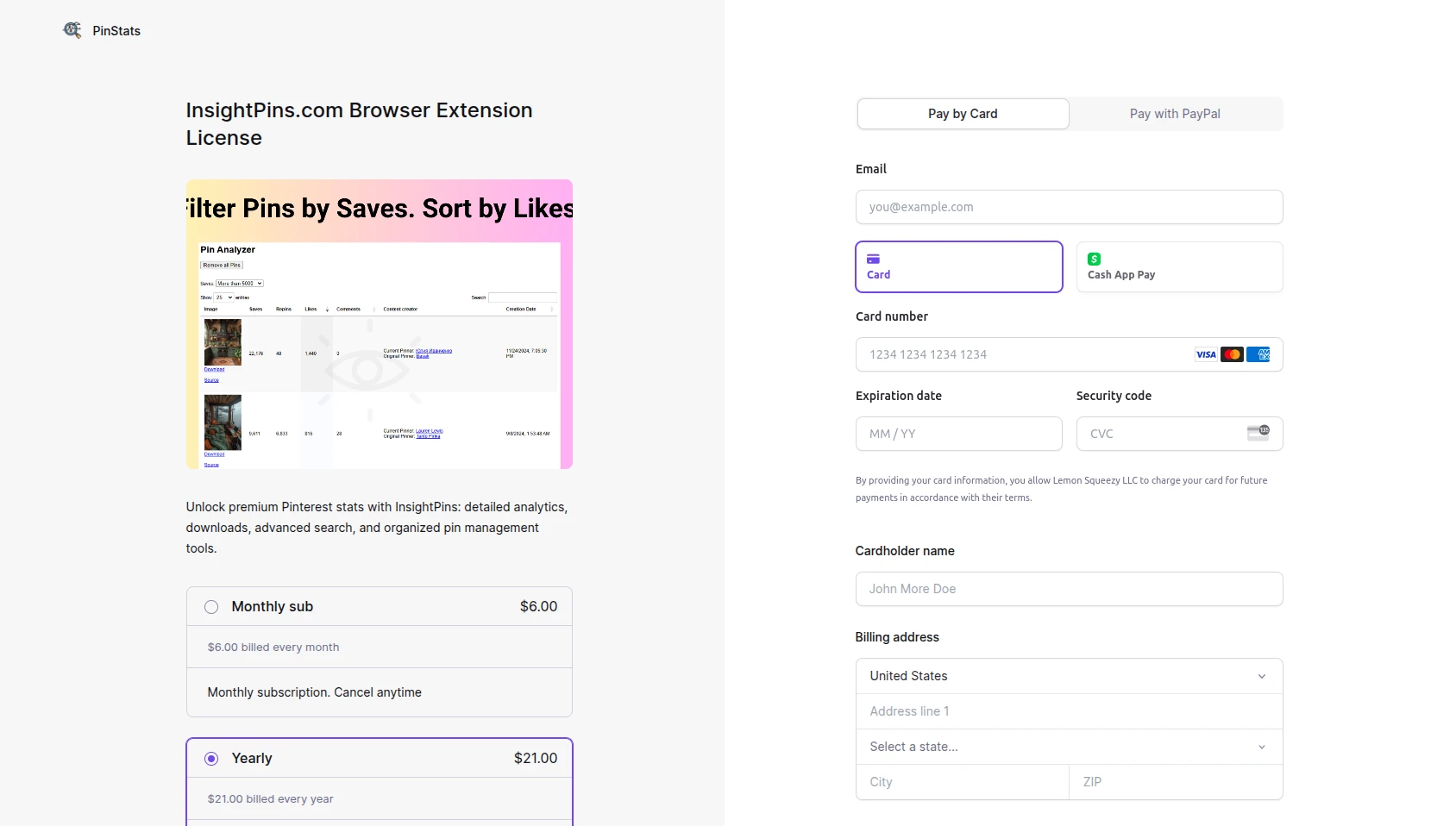
Find your license key
After the payment you will receive an email from PinStats, sent via Lemon Squeezy, who handle secure payments for us. The email looks like this:
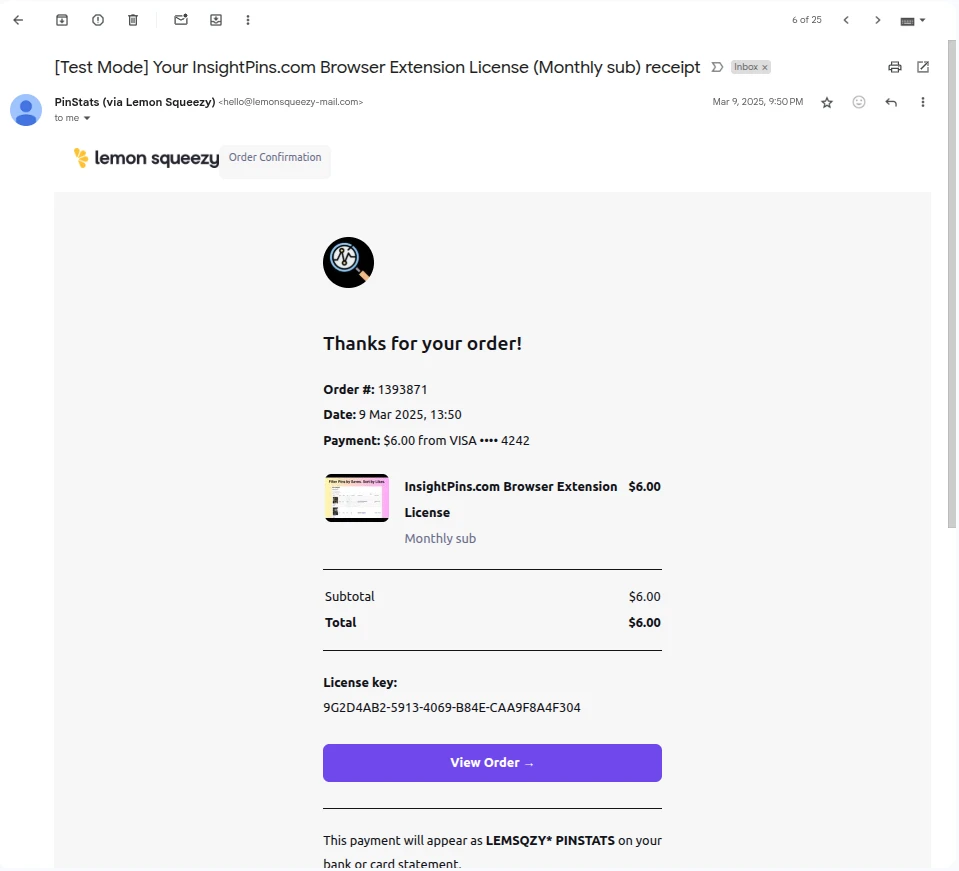
The license key in that email is what activates your subscription inside the extension. In the example above the key is:
9G2D4AB2-5913-4069-B84E-CAA9F8A4F304
Apply the key in the extension
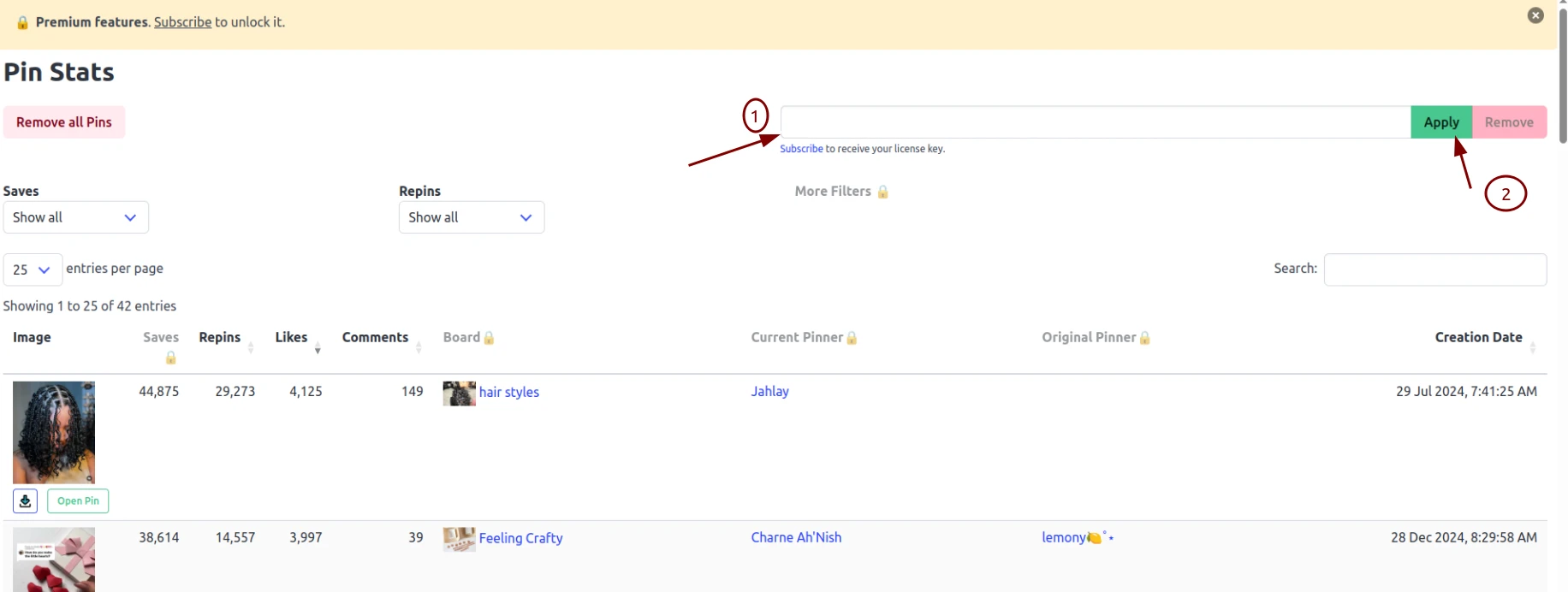
Click the extension icon in your browser toolbar. In the extension popup, click Open Pin Stats Table.
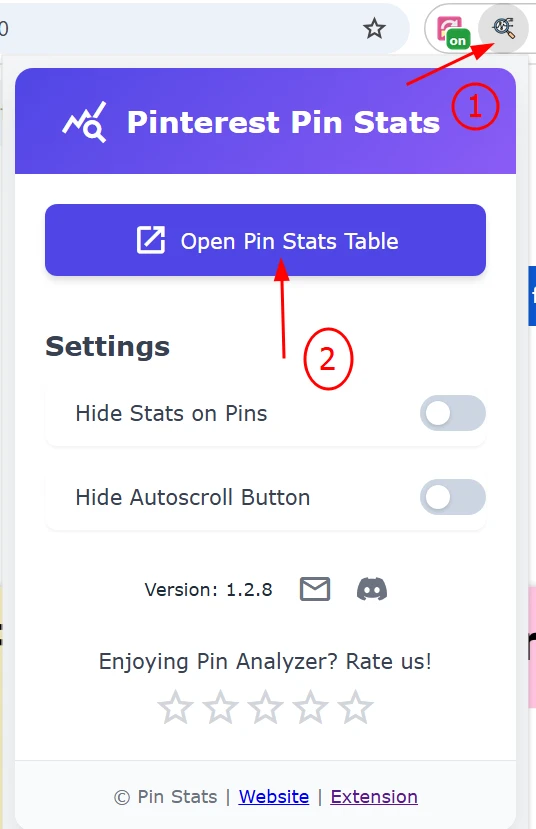
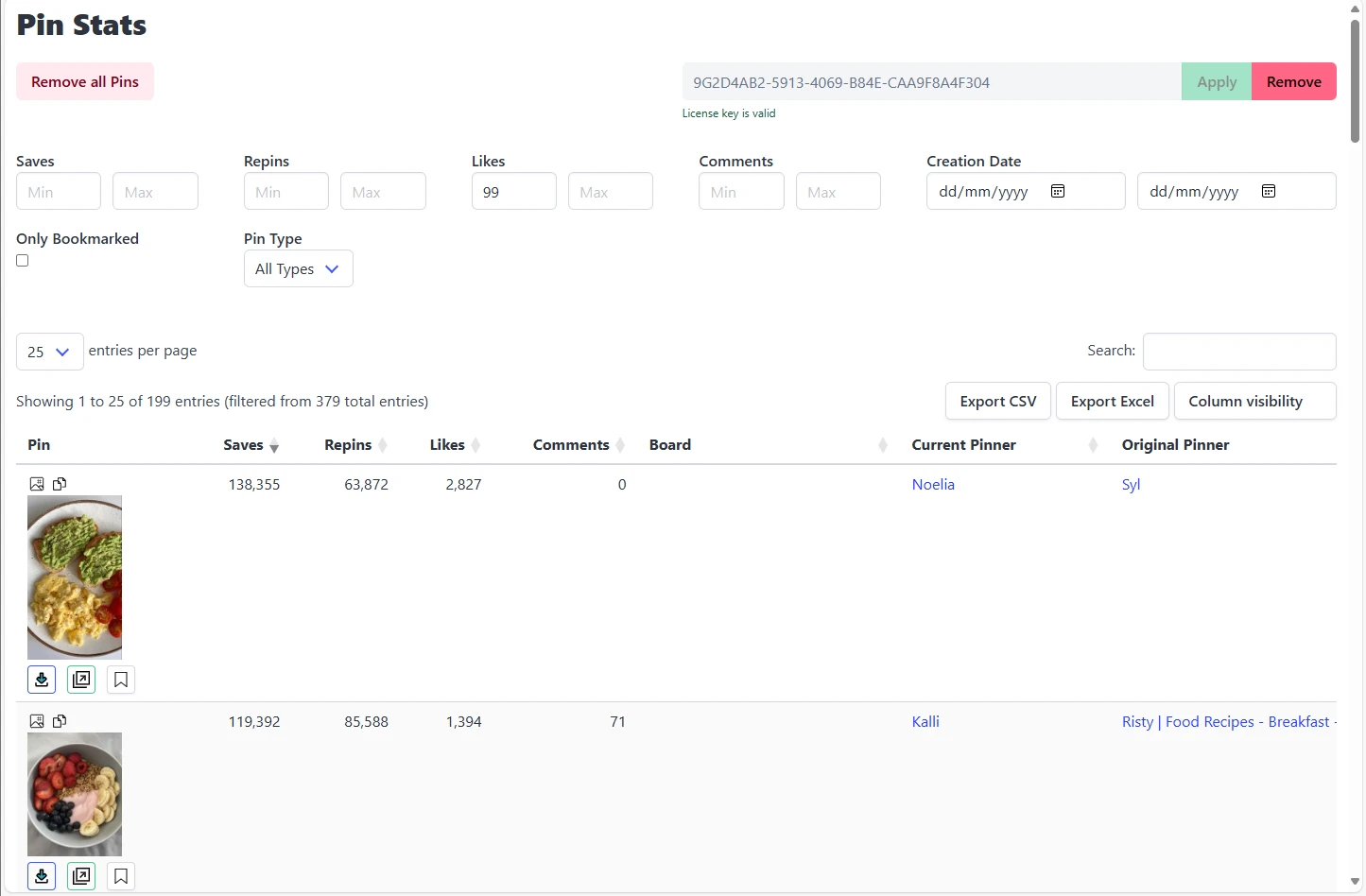
Copy the license key, paste it into the input field, and click Apply.
Done. The license is activated and the premium features are available.
Troubleshooting
Why is my license key rejected?
Copy it straight from the email rather than retyping it, and check that no trailing space came along with it. The key is case-insensitive but the dashes matter.
What if I never received the license email?
Check spam, then search your inbox for Lemon Squeezy. If it is genuinely missing, contact us with the email address you paid with and we will resend it.
Can I use one key on more than one machine?
Yes — activate the same key in the extension on each browser you use.
How do I cancel or get a refund?
All paid plans carry a 14-day money-back guarantee. See the refund policy for the process and timelines.
Next step: With premium active, open any Pinterest board and sort the table by saves — it is usually the fastest way to see which of your pins is actually working. Not subscribed yet? Compare the plans.