Best Pinterest Tools for Etsy Sellers in 2026

By Ruslan Saifullin, Pinterest analytics developer & founder of Pin Stats • Published October 19, 2026
Key takeaways
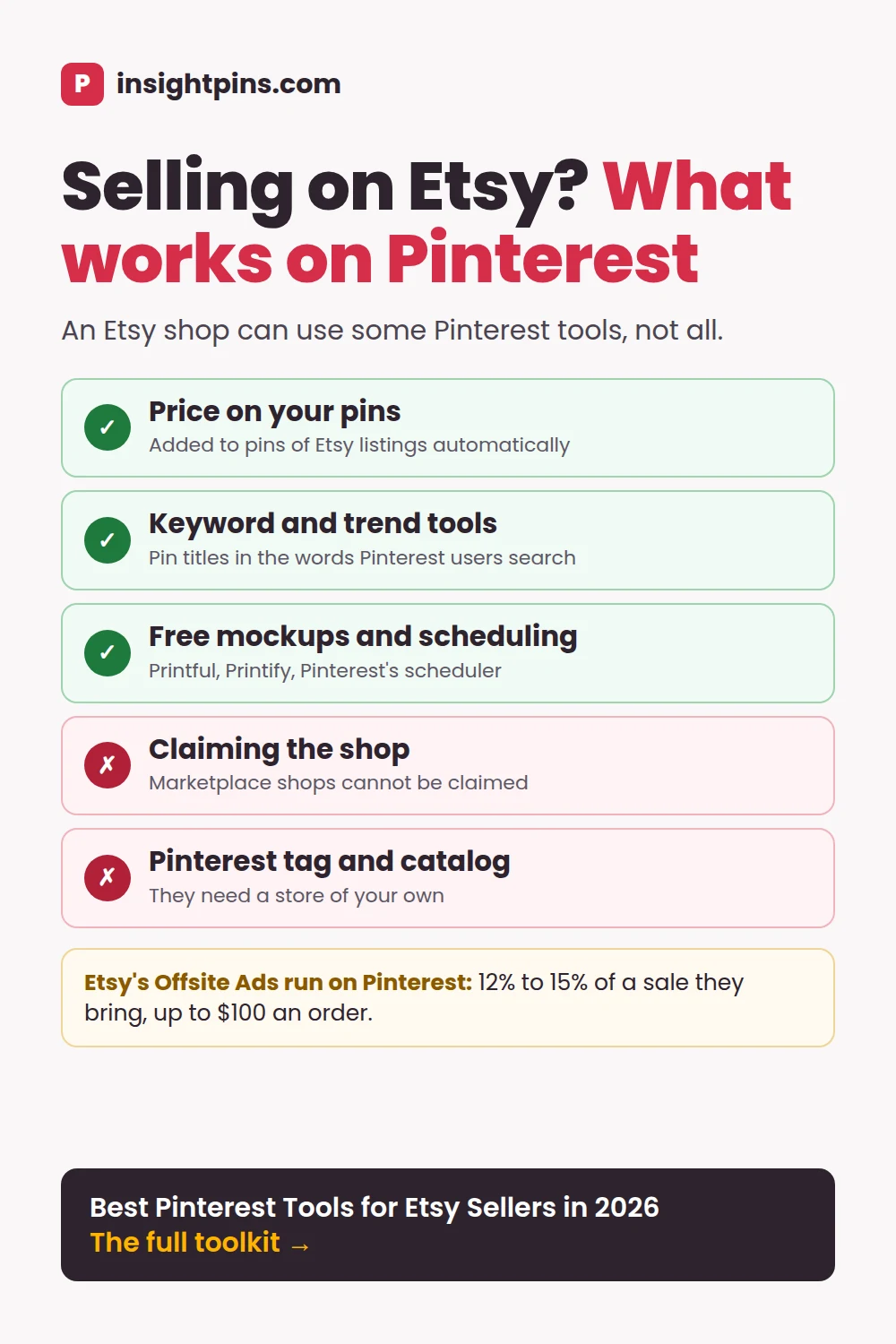
- Can I claim my Etsy shop on Pinterest? No. Pinterest says shops hosted on marketplaces such as Etsy cannot be claimed, because you have to own the domain. Pattern by Etsy, Etsy's own website builder, can be.
- Can Etsy sellers use Pinterest catalogs and shopping ads? Not with an Etsy shop alone. Catalogs need a claimed website and the Pinterest tag, and Etsy offers neither. A Shopify store with Pinterest's free app gets both.
- Do Etsy listings get Rich Pins? Yes, with nothing to set up. Pinterest adds product information, including price and availability, to new pins of Etsy listings within 24 hours, and shows it while the item is in stock.
- Can I opt out of Etsy's Offsite Ads? Only if your shop has never made $10,000 in any 365 days: Shop Manager → Settings → Offsite Ads. The opt-out covers every site, Pinterest included. A sale from an ad costs 15%, or 12% past $10,000, capped at $100. Your own pins cost nothing extra.
- eRank vs EverBee: which helps with Pinterest? Mostly neither. Both are built for Etsy search: eRank for listing SEO from $5.99 a month, EverBee for product research at $39 a month or $299 a year. eRank's keyword tool has listed Pinterest among its sources since 2023, but pin titles are best checked against Pinterest's own numbers.
Most Pinterest guides for sellers start the same way: claim your website, install the Pinterest tag, upload your product catalog. On Etsy you can do none of the three. The shop lives on Etsy's domain, and Etsy decides what code runs on it.
That does not make Pinterest for Etsy sellers a bad fit. It is a visual search engine with 640 million monthly active users (Pinterest Q2 2026 results), and people use it to plan what to buy.
It just means Etsy Pinterest marketing needs a different toolkit from a Shopify store. This guide sorts the Pinterest tools for Etsy sellers by what works on an Etsy shop, what needs a store of your own, and what Etsy does on Pinterest without asking.
- TL;DR: the best Pinterest tools for Etsy sellers
- What an Etsy shop can set up on Pinterest
- Step 1: find the words buyers search
- Step 2: check which products get saved
- Step 3: make product pins
- Step 4: publish, schedule and Share & Save
- Step 5: see what sold
- Etsy Offsite Ads on Pinterest
- Comparison table
- Using ChatGPT or Claude for product pins
- How to choose a Pinterest tool for your shop
- Frequently asked questions
- Conclusion
TL;DR: The Best Pinterest Tools for Etsy Sellers
- Every Etsy seller, free: our free Pinterest keyword tool and Pinterest Trends for the words buyers use, the free Pin Stats extension to see which products get saved, Pinterest's scheduler or bulk upload to publish, Share & Save links for 4% back, and Etsy Stats plus Pinterest Analytics to measure. Pins of your listings become product rich Pins on their own.
- Print-on-demand sellers: add the free mockup generators from Printful or Printify (Etsy's help documents no mockup generator of its own), so every design gets a lifestyle image to pin.
- Sellers with a Shopify store too: install the free Pinterest Shopify app. It claims the site, adds the Pinterest tag and syncs a product catalog, which unlocks shopping ads.
- Worth checking once: your Etsy Offsite Ads setting. Etsy may already be advertising your products on Pinterest, at 12% to 15% of each sale it attributes, and smaller shops can opt out.
Full disclosure: the free keyword tool, Keyword Explorer and Pin Stats are ours. Each is labelled where it appears, with its limits.
Pinterest for Etsy Sellers: What an Etsy Shop Can Set Up
Before choosing tools, it helps to know which Pinterest features an Etsy shop can use at all. The short version: Pinterest gives Etsy listings product rich Pins for free, and keeps everything that needs your own code for sites you own.
An Etsy shop
etsy.com/shop/yourshop
- Price and availability on pins - Yes, automatic
- Claim it on Pinterest - No
- Pinterest tag - No
- Product catalog and shopping ads - No
- Pinterest visits in your stats - Yes, in Etsy Stats
Pins of Etsy listings become product rich Pins within 24 hours, with no markup to add. Claiming, the tag and catalogs all need a domain you own.
Free app
A Shopify store
With Pinterest's app for Shopify
- Price and availability on pins - Yes, from the catalog
- Claim it on Pinterest - Yes
- Pinterest tag - Yes
- Product catalog and shopping ads - Yes
- Pinterest visits in your stats - Yes, with the Pinterest tag
The app is free to install; Pinterest charges only for ads you buy. It claims the site, installs the tag and syncs your products.
Can you claim an Etsy shop on Pinterest?
No. Pinterest's rule is that you must own the domain and be able to edit its source code, "as a result, you're unable to claim most social accounts and online stores hosted on marketplaces like Etsy, eBay and Amazon" (Pinterest help: claim your website).
Older guides show a way to link an Etsy shop to Pinterest as an account; Pinterest's help no longer documents one. Losing the claim costs you less than it sounds: your Etsy pins still get product information, and the main things that depend on claiming, catalogs and RSS auto-publish, are covered below.
Pinterest Rich Pins on Etsy listings
Rich Pins are pins that sync information from the page they link to. The product kind, which Pinterest calls product rich Pins, carries the price, availability, title and description. Most sites need meta tags for that, but Pinterest makes an exception: "You do not need to add any markup if your site is hosted by Etsy, Teachers Pay Teachers, or eBay. New Pins from these sites will have product information on them within 24 hours" (Pinterest help: rich Pins).
There is nothing to apply for or validate. The price shows only while the item is in stock and the price is accurate, so a sold-out listing loses it. To check, open one of your new pins a day after publishing and look for the price under the image.
Pinterest catalog and Etsy: why shopping ads are out
A Pinterest catalog is a product feed that turns every item into a pin, and only "product Pins created using catalogs can be promoted as shopping ads". Before you can add one, Pinterest asks for a business account, a claimed website, the Pinterest tag, and a site that meets its merchant guidelines (Pinterest help: catalogs). An Etsy shop fails the second and third, and Etsy's analytics setting takes a Google Analytics ID only.
Etsy is not among the platforms Pinterest lists for catalog integrations: Adobe Commerce, Nuvemshop, Salesforce Commerce Cloud, Shopify, VTEX and WooCommerce (Pinterest help: third-party integrations). A guide that tells you to "connect your Etsy store" for a catalog is describing something Pinterest does not document.
The Pinterest Shopify app
If you also sell from a Shopify store, the free Pinterest app built by Pinterest itself does in one install what Etsy cannot: it claims the site, installs the Pinterest tag and Conversions API, connects your product feed and generates product pins from it (Pinterest help: Shopify). The listing reads "Free to install. Additional charges may apply", meaning ads you choose to buy, and it is rated 4.1 from 1,710 reviews (Shopify App Store, checked October 18, 2026).
- Have a Pinterest business account and an advertiser account, and sign in as the account owner. Business Manager permissions are not enough.
- If you added the Pinterest tag by hand or through another app, remove it first.
- Log in to Shopify, open the Pinterest app in the Shopify App Store, review the permissions and click Add App.
- Follow the on-screen steps to connect the account. One store connects to one Pinterest business account at a time.
The app is not available in every country, and in some you need one of Pinterest's advertising partners to open the ad account.
Pattern by Etsy: the middle route
Pattern by Etsy, Etsy's own website builder at $15 a month after a 30-day trial, has a Pinterest Verification Code field, so a Pattern site can be claimed; Etsy says confirmation can take up to 48 hours (Etsy help: Pattern marketing settings). Etsy's Pattern help lists no place for the Pinterest tag, though, so claiming is likely as far as it goes, and catalogs stay out of reach.
Find the Words Buyers Search: Pinterest Keyword Tools
Pinterest and Etsy are two different search engines, and people phrase things differently in each. On Pinterest they often search for the idea first (nursery wall art ideas, boho bedroom decor) and the product second. Your pin titles should use the Pinterest phrase, and your listing can keep its Etsy phrase.
No tool is needed for a first pass. Type your product into Pinterest's search bar and read what autocomplete offers as you type: those are phrases Pinterest users actually search. The tools below add numbers to the same list.
- InsightPins free keyword tool (ours). Type a keyword and get the monthly search count Pinterest publishes for that topic, plus related and long-tail keywords with their own counts. No signup. Free, 2 searches a day.
- Keyword Explorer (ours). Inside the Pin Stats extension, it reads the keywords Pinterest attached to the top pins for a seed keyword and exports the list. Extended Pro, $72 a year; Free and Pro see a locked preview.
- Pinterest Trends. Pinterest's own free tool shows when searches rise and fall, and covers shopping trends as well as searches and saves, with some features limited to certain regions (Pinterest help: Trends). Use it to time seasonal products.
eRank vs EverBee (and Marmalead): built for Etsy, not Pinterest
The Etsy research tools many sellers already pay for are built for Etsy search. They are the right tools for your listing titles and tags; for your pins, check the phrase on Pinterest. If you are choosing between the two best known:
| Compared | eRank | EverBee |
|---|---|---|
| Best at | Listing SEO: keyword lookups, listing audits against Etsy's guidelines, a rank checker, competitor tracking | Product research: monthly sales and revenue of other sellers' listings, shown inside Etsy search by its Chrome extension |
| Free plan | 5 keyword lookups and 5 listing audits a day | Hobby: keyword research for up to 10 keywords; listings show views, reviews and favorites, not sales |
| Paid from | $5.99 a month (Basic); Pro $9.99; Expert $29.99 | Growth, $39 a month, or $299 a year billed annually; Business $99 a month, or $828 a year |
| Pinterest data | Its help pages say Pinterest was added to the keyword tool's marketplace list in 2023 (eRank update); the pricing page does not mention it | None |
Prices from eRank and EverBee pricing pages, checked October 18, 2026. EverBee has no free trial; its Hobby plan is free for good.
Pick eRank if your problem is listings that do not show up in Etsy search, and EverBee if your problem is deciding what to make next. Marmalead, the third option, scores Etsy search terms for $19 a month or $190 a year (Marmalead pricing). None of the three is a substitute for checking the phrase on Pinterest before you write a pin title.
Worked example · the print shop
A shop selling botanical art prints lists them on Etsy as "botanical print set". On Pinterest the bigger searches are idea-first, such as living room wall decor and gallery wall ideas, so the pin titles lead with those and name the prints second. The example is illustrative.
Check Which Products Get Saved: Pin Stats
Before you design pins for a product, look at what already ranks for its keyword. Pinterest shows save counts and dates only for your own pins, so for everyone else's you need a tool. Pin Stats is ours: a Chrome extension that shows each pin's saves, repins, likes, comments and creation date as you scroll a search.
- Free: the numbers on every pin, a table of the whole search, sorting by likes, comments and date, basic filters (saves or repins over 5,000 or 10,000), and media downloads.
- Pro, $21 a year: sorting by saves and any other column, advanced filters, hiding ads and AI-generated pins, and CSV export, so you can compare the product pins in a niche in one spreadsheet.
What to look for: which product types, styles and photo setups keep appearing among the most-saved pins, and whether recent pins are breaking in. If the top results are years old with huge save counts, the keyword is hard; if pins from this year with a few hundred saves rank, there is room.
A save tells you
- The image and idea interested people - Enough to keep it for later
- The pin reached the right audience - People interested in the topic, from search or their feed
- Which styles and setups repeat - Across many pins, a pattern worth testing
A save does not tell you
- That anyone bought - Many saves are ideas, not purchase plans
- At what price - A saved idea may be bought cheaper elsewhere, or made at home
- That it will sell from your shop - Only your own sales data can show that
Treat saves as a reason to test a product, not as proof of demand. More on this in how to read Pinterest save counts.
Where it falls short: Pin Stats shows no impressions, clicks or sales for any pin, and it does not track pins over time. It runs in Chrome on desktop.
Worked example · the print shop
In the search for gallery wall ideas, the most-saved recent pins show prints framed on a styled wall, not flat scans of the artwork. The shop plans its pins around room shots, and keeps the flat scan for the listing.
Make Product Pins: Etsy Mockup Generators and Print-on-Demand Tools
A product pin works when the product is shown in use, the keyword is in the title, and the image is 2:3 (1000 by 1500 pixels). Most Etsy listing photos are square or landscape, so plan a pin version of each. If you made your own products, your own photos in a 2:3 crop, styled in a room or in a hand, beat any mockup.
Is there an Etsy mockup generator?
Not one that Etsy documents. Its help centre describes photo editing in the Seller app (crop, rotate, brightness and similar) but no tool that puts a design onto a product scene.
So "Etsy mockup generator" usually means one of two things: the free generators from the print-on-demand companies that connect to Etsy, or mockup templates that other Etsy sellers sell as digital downloads.
Etsy also asks sellers of personalised items not to use a blank mockup with placeholder text such as "Your Text Here" as the main listing image (Etsy help: personalised listings), which is worth applying to pins as well.
Printful mockup generator, step by step
Printful's generator is free for Printful products, offers scenes "from lifestyle shots to clean studio backgrounds", and allows unlimited high-resolution downloads you may use on social media and ads (Printful mockup generator). It works from your dashboard rather than a public page:
- Sign up for a free Printful account, or log in.
- Open Product templates in your dashboard.
- Pick the product, add your design and save the template.
- Choose a mockup and download it.
The generator offers no 2:3 Pinterest size, so make the pin in a design tool: drop the downloaded mockup into a 1000 by 1500 canvas and add the title there. Printful connects to Etsy for free and charges only when an order comes in (Printful for Etsy).
Printify, Canva and Placeit
- Printify mockup generator. Free for all users with an account and no subscription: upload a design and it appears on every mockup template for that product, with a white or transparent background. AI mockups are part of Printify Premium, from $24.99 a month billed yearly or $39 monthly (Printify mockups, pricing). Its Etsy integration is free on every plan.
- Canva. Mockups sit under Elements → Mockups, with a free allowance and all of them unwatermarked on Pro, which is $144 a year (Canva mockups). It also has a large library of Pinterest pin templates (Canva pin templates), which makes it an easy place to finish a Printful or Printify mockup as a pin.
- Placeit. A subscription with a large mockup library and a section of Pinterest pin templates, useful if you sell products that Printful and Printify do not print. Its pricing pages disagree on the discount; its Pinterest templates page quotes $89.69 a year, so check the price at checkout (Placeit Pinterest templates).
- Pinterest's own pin builder. Free, with a text layer for the title. Fine for turning a listing photo into a pin.
Print on demand on Pinterest: Etsy or Shopify?
Neither Printful nor Printify has a Pinterest sales channel. Printful's own Pinterest guide routes it through Shopify: connect your Shopify store to Printful, then install the Pinterest app on the store (Printful: sell on Pinterest). That gives a print-on-demand store a catalog and shopping ads.
A print-on-demand shop on Etsy keeps the organic route this guide describes: mockup pins that link to listings, with product information added by Pinterest. The design and mockup step is the same either way; only where the pin links changes.
For a full comparison of pin designers, see our pin design tools roundup on OutscoreAgent.
Worked example · the print shop
For each print, the shop makes three pins: the print framed in a living room, a gallery wall with the set, and a close-up of the paper texture. All three link to the same Etsy listing.
Publish and Schedule: Pinterest's Free Tools, Tailwind and Etsy Share & Save
Without a claimed website, an Etsy seller cannot use RSS auto-publish, so every pin is published by hand, by schedule or by bulk upload.
- Pinterest's scheduler. Up to 10 pins scheduled at once, each up to 30 days ahead, on desktop or in the app (Pinterest help: schedule pins).
- Bulk upload by CSV. Up to 200 pins in one spreadsheet, each with its own publish date. Pinterest refuses a link that repeats within one file, which matters when you make three pins for one listing: put them in separate files. Our free Pinterest CSV checker catches that and every other row Pinterest would refuse.
- Tailwind. The paid scheduler built for Pinterest. Its Pin Scheduling & Creation plan costs $17.99 a month billed annually, or $29.99 billed monthly, per Pinterest account. New accounts get a one-time trial of 10 scheduled pins and 5 keyword searches. Pricing checked October 5, 2026.
Etsy Share & Save: 4% back on sales from your pins
Share & Save is Etsy's refund for traffic you bring yourself. Once you join, "if a buyer places an order within 30 days of clicking a link you've shared, you get an instant refund of 4% off the eligible order total" (Etsy help: Share & Save, updated October 14, 2026). The order total is counted like Etsy's transaction fee, shipping and gift wrap included, tax not. As a current promotion for new members, Etsy pays 6.5% instead for the first two weeks after you join.
- In Shop Manager, go to Marketing → Share & Save and select Join now.
- For each pin, get the listing's own link: Listings, the gear icon under the listing, then Share. In the Etsy Seller app it is Share listing.
- Use that link as the pin's destination instead of the plain listing URL, and check your first pin after it publishes: it should still show the listing's price.
Two limits matter on Pinterest. Etsy credits the last link a buyer clicked, so if they click one of Etsy's Offsite Ads after your pin, the sale pays the ad fee and earns no refund. And only Etsy's trackable links count: links to yourshopname.etsy.com or links copied from Etsy's share options, so a shop with a custom domain needs domain forwarding first.
For every other scheduler and what its free plan allows, see our Pinterest scheduling tools roundup.
Worked example · the print shop
The three pins for each print go out a week apart, through Pinterest's scheduler, each to a different board: living room ideas, gallery walls and botanical art.
See What Sold: Pinterest Traffic in Etsy Stats and Pinterest Analytics
A blogger measures clicks and reading time. A seller measures orders, and for that the shop stats live on Etsy.
- Etsy Stats. Visits, orders, conversion rate and revenue for the whole shop, and visits by traffic source (Etsy help: Stats). How to find the Pinterest share is below.
- Pinterest Analytics. For your own pins: impressions, saves, pin clicks and outbound clicks, over any range in the past 18 months, with CSV export (Pinterest help: analytics). Outbound clicks are the closest Pinterest gets to "visits to my listing".
- Share & Save stats. If your pins use Share & Save links, Etsy Stats shows, under Traffic from your Share & Save links, the clicks, orders and revenue from those links, and what you saved. It counts every place you share the links, not only Pinterest, but it is the one report that ties your own links to orders.
- Google Analytics 4. Etsy's Web Analytics setting takes a Google Analytics ID (Etsy help: Google Analytics), which adds GA4's reports for your shop pages. Worth it if you already use GA4 elsewhere.
How to see Pinterest traffic in Etsy Stats
- In Shop Manager, open Stats and set the date range.
- Scroll to How shoppers found you and select Social media. Etsy's glossary defines it as visits from Instagram, Facebook, Pinterest and other social sites, through your own accounts, organic sharing and Etsy's Offsite Ads on those three (Etsy Stats glossary).
- Read the Traffic source breakdown under it, which lists the page each visitor was on just before your shop or listing.
Two cautions. The number counts visits, not orders: Etsy's help does not describe orders or revenue by traffic source. And because it includes Etsy's Offsite Ads on Pinterest, a rise may be Etsy's ads rather than your pins. The Offsite Ads dashboard (Shop Manager → Marketing → Offsite Ads) shows the orders Etsy credits to its ads, so you can set those aside.
Apart from Share & Save, none of these joins a pin to an order. Read them side by side: outbound clicks in Pinterest Analytics, Pinterest visits in Etsy Stats, and orders in the same weeks. If clicks rise and orders do not, look at the listing (price, photos, shipping) before you blame the pins.
Worked example · the print shop
After a month, the gallery wall pins have the most outbound clicks, and Social media visits in Etsy Stats are up. Its Share & Save stats show the orders that came through its own links, and the Offsite Ads dashboard shows the orders Etsy credits to its own ads, so the shop can tell the two apart. It makes more gallery wall pins.
Etsy Offsite Ads on Pinterest: Fees and How to Opt Out
Etsy advertises sellers' listings on other sites, Pinterest among them, through Offsite Ads (Etsy help: Offsite Ads). Every shop is enrolled automatically, and you pay only when a sale is attributed to an ad: any order within 30 days of a click on one. Since an ad and your own pin can look alike to a buyer, it is worth knowing what each costs.
Your own pin
- Etsy's standard fees - No advertising fee on the sale
- 4% back with Share & Save - Once you join, if the pin uses your trackable link and the order comes within 30 days
- You choose the image and words - And the board it lives on
Etsy's Offsite Ad on Pinterest
- 15% of the sale - 12% once the shop has made $10,000 in any consecutive 365 days
- Capped at $100 an order - On top of Etsy's standard fees
- Any order within 30 days of the click - Etsy chooses the listings and the ads
Fees from Etsy's help pages, checked October 18, 2026. Etsy also lists Google, Facebook, Instagram, Bing and publishing partners as Offsite Ads sites.
How to opt out of Etsy Offsite Ads
You can opt out only if your shop "has never made $10,000 USD or more in any consecutive 365-day period". Once it passes that mark, it is enrolled "for the lifetime of your shop", at the lower 12% rate. If you can still leave:
- On Etsy.com, open Shop Manager.
- Select Settings, then Offsite Ads.
- Choose Opt out of Offsite Ads and confirm.
The setting is under Settings; the dashboard that shows what the ads earned is under Marketing → Offsite Ads. You can turn the ads back on from the same page with Turn on Offsite Ads. The opt-out does not reach back: if a buyer clicked one of your ads before it took effect and orders within that click's 30-day window, the sale still pays the 15% fee (Etsy's advertising terms).
Whether to stay in is a business decision. The ads can find buyers you would not reach, at a fee your own pins do not charge. Before deciding, open the Offsite Ads dashboard to see the orders it credits, and compare them with the orders your Share & Save links brought.
Pinterest Tools for Etsy Sellers Compared
| Step | Tool | What it does for an Etsy seller | Free | Paid from |
|---|---|---|---|---|
| 1 · Keywords | InsightPins free keyword tool (ours) | Pinterest search counts for pin titles | 2 searches a day | - |
| 1 · Keywords | Keyword Explorer (ours) | Full Pinterest keyword research, exported to CSV | Locked preview | $72 a year (Extended Pro) |
| 1 · Keywords | Pinterest Trends | When searches and shopping interest rise | Yes, with a business account | - |
| 1 · Keywords | eRank | Etsy listing SEO: keywords, audits, rank checks | 5 lookups a day | $5.99 a month |
| 1 · Keywords | EverBee | Etsy product research: sales and revenue of listings | Hobby plan, 10 keywords | $39 a month, or $299 a year (Growth) |
| 1 · Keywords | Marmalead | Etsy search volume and competition | No free plan listed | $19 a month |
| 2 · Saves | Pin Stats (ours) | Saves and age of the product pins already ranking | Yes | $21 a year (Pro) |
| 3 · Pins | Printful mockup generator | Lifestyle mockups of Printful products | Yes, with an account | - |
| 3 · Pins | Printify mockup generator | Mockups of Printify products | Yes, with an account | Premium, $24.99 a month billed yearly |
| 3 · Pins | Canva | Mockups and 2:3 pin templates in one place | Yes, with a mockup allowance | $144 a year (Pro) |
| 3 · Pins | Placeit | Mockup library and pin templates | No | $89.69 a year, as quoted on its site |
| 3 · Pins | Pinterest pin builder | A pin with a text layer | Yes | - |
| 4 · Publish | Pinterest scheduler | Up to 10 pins at a time, 30 days ahead | Yes | - |
| 4 · Publish | Pinterest bulk upload | Up to 200 pins per CSV, each with a publish date | Yes | - |
| 4 · Publish | Tailwind | A Pinterest scheduler with suggested times | One-time trial of 10 pins | $17.99 a month, billed annually |
| 5 · Sales | Etsy Stats | Visits by source; orders and revenue for the whole shop | Yes | - |
| 5 · Sales | Etsy Share & Save | 4% back and order stats for your own links | Yes | - |
| 5 · Sales | Pinterest Analytics | Impressions, saves and outbound clicks on your pins | Yes | - |
| Store setup | Pinterest app for Shopify | Claim, tag, catalog and shopping ads for a Shopify store | Yes; ads cost extra | - |
| Store setup | Pattern by Etsy | An Etsy-built site you can claim on Pinterest | 30-day trial | $15 a month |
Prices checked October 2026, in US dollars. Plans change; check the vendor's pricing page before you buy.
Using ChatGPT or Claude for Product Pins
Neither ChatGPT nor Claude can publish pins, see your Etsy Stats or know what Pinterest users search. What they do well is the writing: a pin title and description for each listing that use your Pinterest keyword and make no claims the listing does not make, and a read of numbers you paste in.
Here is my Etsy listing title and description:
[paste them]
The Pinterest keyword for this product is "[keyword]".
Write 3 pin variations. For each:
1. A pin title of up to 100 characters that starts with the keyword and reads like an idea, not a product code
2. A pin description of up to 500 characters: what the buyer gets, who it suits, the keyword once near the start
Use only details from the listing (size, material, colours, shipping). Do not invent discounts, reviews or delivery times. Show the character count of each title and description.Below are two sets of numbers for the same month:
1. My Pinterest Analytics top pins: pin title, listing it links to, impressions, saves, outbound clicks
2. My Etsy Stats: visits from Social media, and the orders for each listing in the same month
Using only these numbers:
- Which listings get the most outbound clicks from Pinterest?
- Which of those also got orders, and which got clicks but no orders?
- For the clicks-but-no-orders listings, what in the listing should I check first?
Say clearly that Etsy's Social media visits also include Etsy's own Offsite Ads, so they are not all from my pins.
[paste the numbers]Prompt 2 reads your own shop. To see the competition, the free Pin Stats extension shows the saves and age of the top pins for a keyword as you scroll; on Pin Stats Pro you can export the whole search as a CSV and attach it. For a weekly routine, keep your shop's keywords, boards and a few past pin texts you liked in a ChatGPT or Claude project.
How to Choose a Pinterest Tool for Your Shop
Five questions save most sellers from paying for the wrong thing.
- Does it need a claimed website or the Pinterest tag? Then it will not work with an Etsy shop alone. Catalog sync, shopping ads, conversion tracking and RSS auto-publish all fall here.
- Which search engine does it measure? Etsy keyword tools measure Etsy search. For pin titles you need Pinterest's numbers.
- Does Pinterest or Etsy already do it? Product rich Pins, scheduling, bulk upload, Pinterest Analytics and Etsy Stats are all free.
- Does it connect through Pinterest's official API? A scheduler should never ask for your Pinterest password.
- Does it count saves or sales? A tool that shows saves helps you decide what to test. Only orders tell you what sells.
Frequently Asked Questions
Can you claim an Etsy shop on Pinterest?
No. Pinterest says shops hosted on marketplaces such as Etsy, eBay and Amazon cannot be claimed, because claiming needs a domain you own and can edit. A site built with Pattern by Etsy can be claimed, and pins of your Etsy listings still become product rich Pins automatically.
Do Etsy listings get Pinterest Rich Pins?
Yes. Pinterest needs no markup for sites hosted by Etsy: new pins of Etsy listings get product information, including price and availability, within 24 hours. The price shows only while the item is in stock, and there is nothing to apply for.
Can Etsy sellers use a Pinterest catalog or shopping ads?
Not with an Etsy shop alone. A Pinterest catalog needs a claimed website and the Pinterest tag, Etsy is not one of Pinterest's catalog integrations, and only product pins from catalogs can run as shopping ads. Sellers who also run a Shopify store get all of that from the free Pinterest Shopify app.
How do I opt out of Etsy Offsite Ads?
In Shop Manager, go to Settings, then Offsite Ads, choose Opt out of Offsite Ads and confirm. You can opt out only if your shop has never made $10,000 or more in any consecutive 365-day period; after that, Offsite Ads are required for the lifetime of the shop, at 12% of each attributed sale, capped at $100 an order.
How do I see Pinterest traffic in Etsy Stats?
Open Stats in Shop Manager, find How shoppers found you and select Social media, then read the traffic source breakdown. Social media counts visits from Pinterest, Instagram and Facebook together, including Etsy's own Offsite Ads there, and shows visits rather than orders.
eRank vs EverBee: which should an Etsy seller use for Pinterest?
Neither is built for Pinterest; use them for your Etsy listings. eRank is the cheaper listing-SEO tool, from $5.99 a month, and its help says its keyword tool has included Pinterest since 2023; EverBee is for product research, showing other listings' sales, at $39 a month or $299 a year. Pinterest users phrase searches differently, so check pin titles with a Pinterest keyword tool such as our free one.
Conclusion: Work With What Etsy Allows
An Etsy shop gives up the Pinterest features that need your own code: claiming, the tag, catalogs and shopping ads. What it keeps is enough for organic Pinterest marketing: product rich Pins that show the price on their own, free keyword and trend data, free mockups from Printful or Printify, free scheduling, Share & Save refunds, and Etsy Stats to see what sold.
- Pin for the Pinterest search, not the Etsy one: idea first, product second.
- Test what gets saved, then let orders decide.
- Know what Etsy runs for you: check your Offsite Ads setting (opt out while you still can, if the fee does not pay), and link your own pins with Share & Save, which also shows you the orders they bring.
If you also run a Shopify store, the free Pinterest Shopify app is the one install that changes the picture: claiming, the tag, a catalog and shopping ads.
Next step: before you make pins for your next product, see what already gets saved for its keyword. Install Pin Stats for free, search the keyword and read the saves and dates on the top product pins.